System and Data Mapping
Document the systems involved, the information each one owns, and the intended direction of exchange. Identify the access, fields, and decisions needed before implementation.


Seamless Integrations
Connect your website with the systems that support communication, services, and operations. Rivendell helps define the information flow, the user experience, and the responsibilities behind each connection.
Discuss an IntegrationFunctionality With a Purpose
Email platforms, directories, maps, forms, customer-management tools, and external services can all be part of a website experience. Adding a connection is only useful when the information and the next step remain clear.
We begin with the task and the systems involved. That lets the team distinguish a straightforward embed from a data connection, a custom application, or a workflow that needs a deeper review.
Where We Help
Integration planning should account for platform access, available interfaces, data ownership, and ongoing vendor responsibilities.
Document the systems involved, the information each one owns, and the intended direction of exchange. Identify the access, fields, and decisions needed before implementation.
Bring useful tools into the website’s journeys while considering responsive behavior, accessibility, and what happens when users leave the main site.
Evaluate supported connections for email, customer management, recruiting, commerce, or other services. Define the implementation around the actual capabilities and limits of the platforms.
Check successful submissions, validation, failure behavior, and the destination of information. Document credentials ownership, vendor dependencies, and the maintenance path.
A Clear Working Process
A working integration needs more than a successful demonstration. It needs an understood path for real data and ordinary failure cases.
Define the task, systems, and information owners.
Check access and supported platform capabilities.
Implement the agreed exchange or interface.
Check normal use, validation, and failure paths.
Document ownership and ongoing dependencies.
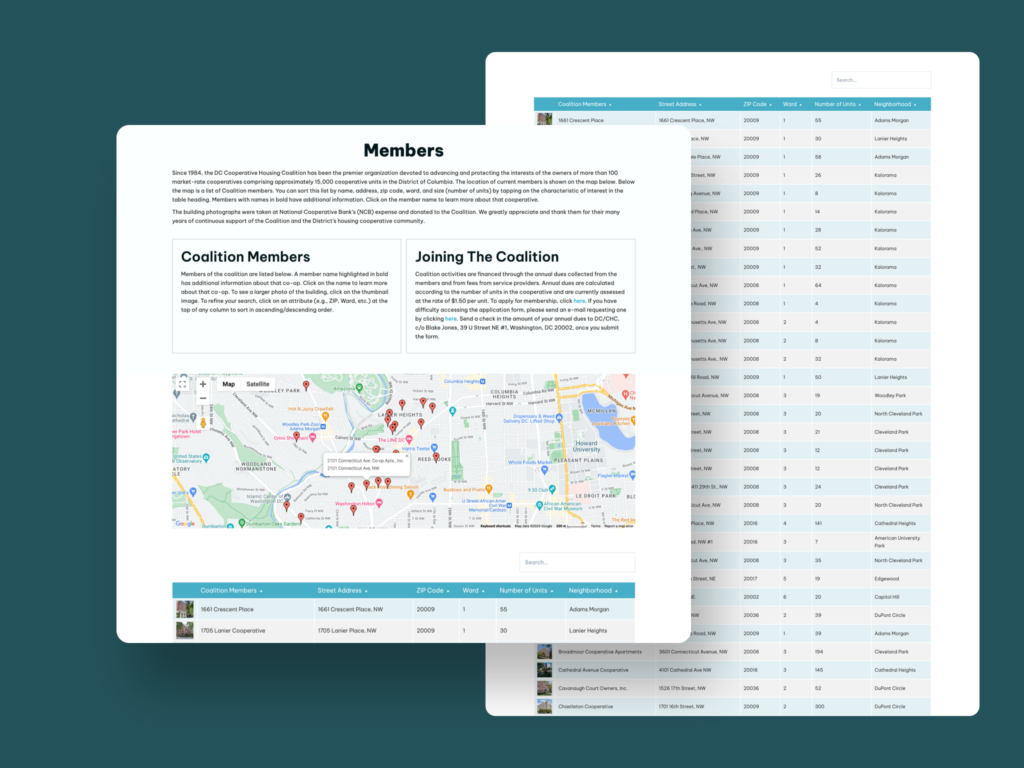
DC Cooperative Housing Coalition / Member Listings
The Work in Context
The DC Cooperative Housing Coalition engagement combined a reorganized public website with a tiered, password-protected member area for sharing information across member buildings.
The case study documents a WordPress and Laravel integration supporting property listings and secure resident access. It is an example of connecting public content with a defined member workflow.
A Rivendell engagement delivered in collaboration with the development team.
Explore the Coops EngagementClear Scope. Practical Delivery.
A platform’s API, account permissions, licensing, and vendor policies determine what can be connected. We confirm those dependencies before treating an integration as an approved build.
Payment handling, personal data, security, and accessibility may require additional review. Third-party outages and platform changes remain explicit dependencies, not hidden assumptions.
Start With Your Current Situation
Bring the systems you use and the task you want to simplify. We can help identify the next practical connection.
Discuss an Integration